



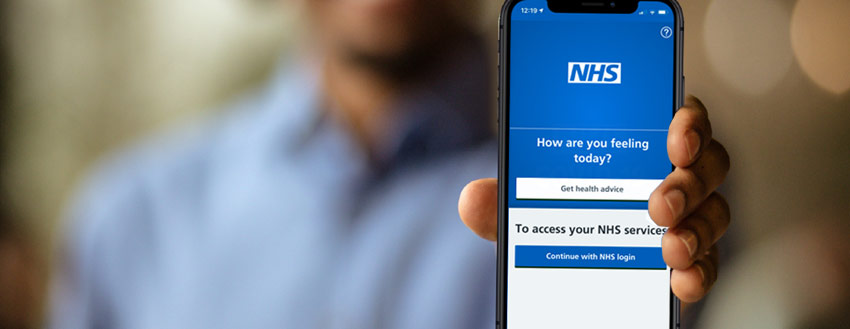
The majority of our patients use the NHS App or NHS Online as their online service provider. The app allows you to order repeat medication, view your coded clinical records and book appointments such as blood tests.
The following NHS website pages contain a wealth of information about the NHS App:
- NHS App Main Page
- NHS App (About the App)
- NHS App Help and Support
- NHS App (Contact Us)
- The NHS App can be used through the browser on your computer if you prefer.
Download the NHS App
The NHS App is available for Android from the Google Play Store, and iOS from the Apple Store.
Google Play download Apple Store download
Having trouble setting up the NHS App?
When setting up the NHS App, it is important to note that there are two ways to verify your account.
1) Patient Self-Verification
If you have never used online services, you can verify yourself through the NHS App using photo ID and personal information. The video below has more information about this.
2) GP Surgery Verification
If you have had online services in the past (such as Patient Access), you will already have an online services account. You will need to follow the information from NHS Digital below:
When a patient has signed up through their practice for online services, they will be given three registration details.
The registration details are:
- a Linkage Key (which could be called a passphrase)
- an ODS Code (which could be called an Organisation Code or Practice I.D.)
- an Account I.D.
If the patient uses this information to prove who they are, it is automatically checked with the GP practice’s system, along with the patient’s name and date of birth. During this process, the patient’s NHS number and health information are matched to their NHS login.
To use this option, the patient should select ‘How to prove who you are without sending a photo of your I.D.’ at the bottom of the page that tells the patient how to prove who they are.
PDF instruction guides
The PDF guides below offer further advice on getting the most out of the NHS App:
For further assistance with setting up the NHS App or better understanding how to use the NHS App, you can email the PPG at Billinghsurst.ppg@gmail.com to arrange a time for them to assist you.

